
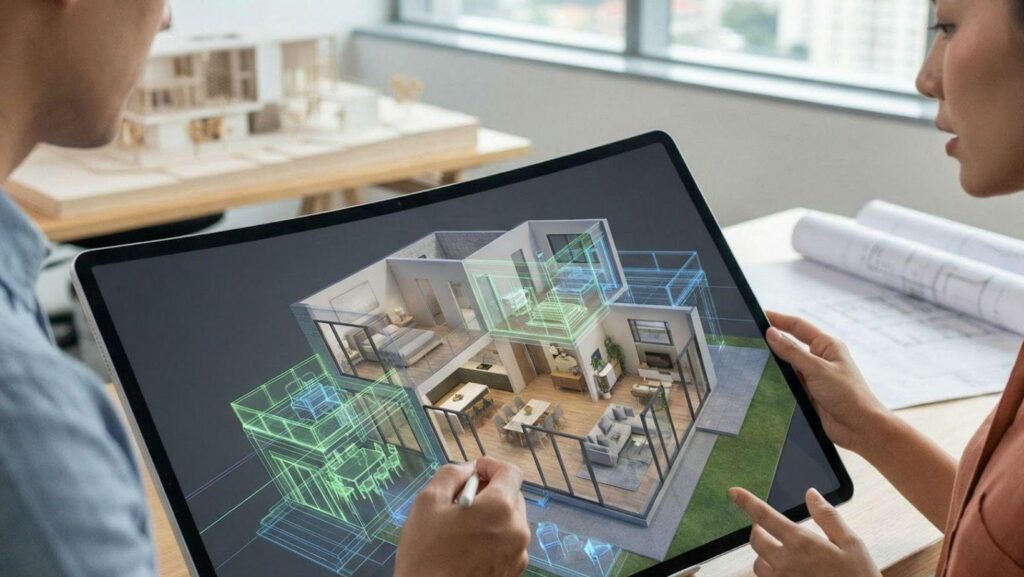
Traditional design workflows relied on heavy desktop software, paper sketches and long feedback loops with clients. Today, a new generation of browser based tools is opening up architecture and interior design to faster, more visual and more collaborative ways of working.
With modern AI features and simple interfaces, home design 3d is no longer something only technical experts can touch. Homeowners, clients and even investors can now step directly into the process and explore ideas inside a web browser.
From Desktop Only To Browser Based 3D Studios
For many years, professional CAD and 3D programs required powerful computers, steep learning curves and complex file management. Sharing work meant exporting images, videos or large files that clients needed special software to open.
Browser based 3D design tools flip that model. You now:
- Open a project in a normal web browser
- Draw walls, place doors and windows with simple tools
- Drop in furniture, materials and lighting in real time
- Share a link so anyone can walk through the space on their own device
There is no installation, no license server, and no need for clients to become software experts. This lower barrier to entry is a big part of why architects and interior designers are paying attention to new tools in this space.
How AI Inside 3D House Tools Speeds Up Early Design
Artificial intelligence inside a browser based 3D planner works like a smart assistant sitting beside you. Instead of starting from a blank room every time, AI can:
- Suggest basic room layouts for different goals, like open plan family living or focused home offices
- Propose furniture arrangements that keep circulation clear
- Generate multiple layout options that you can review and refine
- Help balance functional zones, such as cooking, dining and relaxing
This does not replace architectural thinking, but it gives both professionals and clients a faster way to explore possibilities. The designer can jump straight to evaluating and improving AI suggested layouts rather than spending hours blocking in every wall and sofa from scratch.
As the project develops, AI can assist with:
- Trying alternative kitchen or bathroom arrangements
- Testing different lighting moods
- Checking for obvious layout conflicts before detailed work begins
In practice, this means more time available for creative decisions and less time spent on repetitive setup. Midway through the process is a perfect moment to reinforce the idea of home design 3d as a collaborative, evolving digital model that everyone can understand.
What Changes For Architects And Interior Designers
Faster concept development
Early concept phases are usually where ideas evolve quickly. With browser based 3D tools and AI, a designer can turn rough requirements into several visual options in a short session. Clients can compare them in a virtual walkthrough instead of trying to read complex drawings.
Clearer communication
Seeing a room at eye level makes it easier to understand ceiling height, proportions and furniture relationships. When a client says something feels tight or dark, the designer can adjust the model in front of them and get instant feedback. Misunderstandings drop because everyone is looking at the same 3D reality.
More inclusive collaboration
Because the interface is simple and runs online, teams can invite consultants, decorators and even contractors into the same project view. Notes, screenshots and version history shorten the gap between design intent and actual construction decisions.
Why Clients Love Browser Based 3D Walkthroughs
For clients, this new generation of tools feels less like software and more like a visual storytelling platform. They can:
- Walk through the home using simple controls
- Look around corners, stand inside rooms and experience views
- Make comments as they move, instead of waiting for static updates
- Share the link with family or colleagues for quick reactions
This interactive experience builds confidence. When clients feel they have really seen and understood the proposed design, approvals come faster and with fewer surprises later on site.
Arcadium 3D As A Practical Example Of This Shift
Arcadium 3D is a good example of how modern browser based tools are changing both architecture and interior workflows. It focuses on speed, clarity and collaboration rather than heavy technical menus.
In Arcadium 3D, you can:
- Draw the floor plan in minutes using simple wall tools
- Place doors, windows and stairs with built in components
- Drop in furniture and decor elements that can be resized and adjusted
- Move between plan view, 3D orbit and first person walkthrough instantly
- Share projects with clients through a simple web link
For designers, this makes Arcadium 3D a powerful space for early concept studies, layout experiments and client presentations. For homeowners, it turns abstract plans into something they can actually walk through and discuss.
If you are searching for an easy way to try this new style of design in the browser, you must try the Home Design 3d tool that was developed by Arcadium 3D, and it lets you experiment with layouts, light and furniture arrangements without installing traditional software.
The Future Of AI-Powered Browser-Based Design
Looking ahead, browser based 3D tools will likely continue to grow in several directions.
Smarter AI suggestions: Layouts and furniture arrangements could be tuned to local building codes, typical lifestyles or specific health goals, such as improving sleep or focus.
Deeper links to real products: Libraries may connect directly to suppliers, so objects in the 3D scene correspond to real furniture, fixtures and finishes that can be ordered.

Stronger integration with construction information: Designers might move smoothly from concept models to more technical layers, handing off clear data to engineers and builders without redrawing everything.
For architects and interior designers, the key shift is not just technology. It is a change in how people experience design. Clients become active participants inside living digital models instead of passive viewers of drawings.
Frequently Asked Questions
1. Are browser based 3D tools powerful enough for professional work
For early design, layout exploration and client communication, many browser based tools are more than powerful enough. They allow quick modeling, live edits and clear walkthroughs. Detailed construction documentation may still rely on traditional CAD or BIM in some offices, but the front end of the process is moving strongly into the browser.
2. Does AI replace architects and interior designers
No. AI offers starting points and speeds up repetitive tasks, but design still depends on human judgement. Architects and interior designers interpret context, culture, budget, regulations and personal taste in a way AI cannot fully replace. The best results come when designers use AI as a support, not as a substitute.
3. Can clients use these tools on their own
Yes, many browser based platforms are simple enough for clients to experiment in between meetings. However, professional guidance is still important so that ideas stay realistic, safe and aligned with the project goals.
4. Do I need a high end computer to run browser based 3D tools
Most modern tools are optimized for standard laptops and desktops. Because the heavy lifting is often handled efficiently in the browser, you usually do not need a workstation level machine to navigate and edit a typical residential project.
5. How does a tool like Arcadium 3D fit into an existing workflow
Arcadium 3D can sit at the front of the process. Designers sketch concepts, test layouts and present ideas in Arcadium, then either refine the same model or translate key decisions into more detailed systems if needed. This keeps initial stages fast and visual while still connecting smoothly to traditional documentation where required.